
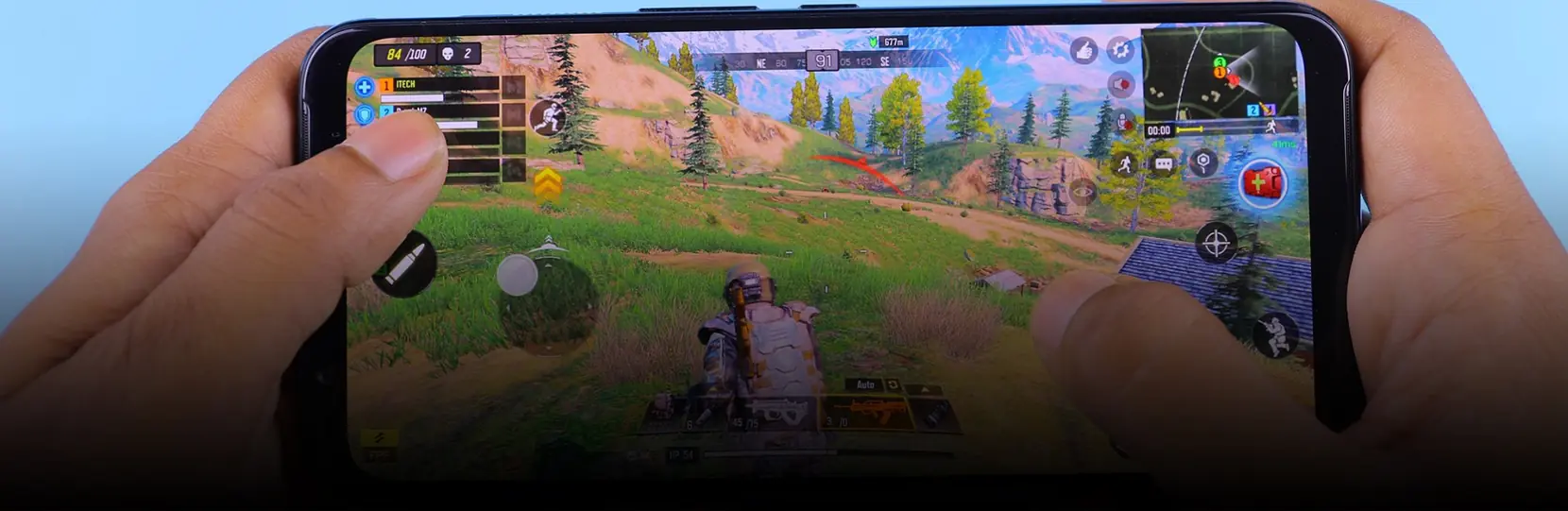

Android game testing needs its own approach because the Android install base spans thousands of device models, dozens of SoC and GPU combinations, and API levels from 24 upward that a single mobile QA plan cannot cover with iOS-style device matrices. A production Android game testing program combines a physical device shelf with cloud device farms, uses the Google Play Pre-launch Report on every candidate build, and profiles GPU frame time, thermals, and memory pressure per SoC tier before store submission.
Why Android game testing is a separate discipline

Android game testing is treated as a separate track from general mobile QA because the platform behaves differently across manufacturers. A build that renders at 60 fps on a Pixel 8 can drop to 24 fps and thermally throttle within four minutes on a mid-tier Samsung A-series device with the same Unity URP settings. Vendor skins (One UI, MIUI, ColorOS, HyperOS) also change permission dialogs, background execution, and notification behavior, which affects the tests that touch IAP, push, and social login.
The other reason Android game testing needs a dedicated plan is Google Play. Play Console enforces target API level deadlines, Data safety declarations, Families policy for kid-directed titles, and Play Integrity for anti-cheat. A game that ships without a Play policy testing pass will be rejected or later removed even if functional QA is clean. Game-Ace runs Android QA as a distinct workstream when a title targets Play as the primary storefront.
Device fragmentation and the device matrix
A workable Android device matrix is built from four inputs: Google Play Console install-base data for the target region, target SoC families, GPU vendors (Adreno, Mali, PowerVR, Xclipse), and API-level distribution. For a global casual title, the minimum matrix is usually 12 to 16 physical devices covering one flagship and one mid-tier per year from 2021 onward, plus the two most common Android Go and low-RAM configurations in the target market.
- One recent Pixel (reference AOSP behavior on the current API level).
- One recent Samsung flagship and one A-series mid-tier (Exynos and Snapdragon variants where the game ships in both regions).
- One Xiaomi or Redmi device with HyperOS (background execution differences).
- One Oppo, Vivo, or Realme device (ColorOS/OriginOS permission flows).
- One Motorola or Nokia device close to stock Android.
- One 2GB RAM Android Go device if the target market includes emerging regions.
- One tablet with a large display for aspect-ratio and touch-target testing.
Anything beyond the physical shelf is covered through cloud device farms rather than by buying more hardware.
Cloud device labs: Firebase Test Lab, AWS Device Farm, Samsung Remote Test Lab
Cloud device labs cover the long tail of Android devices that a studio cannot keep on a shelf. Firebase Test Lab hosts real and virtual Google-owned devices and is the backend for the Google Play Pre-launch Report, which means every Play upload already gets a free automated smoke test on a Firebase-selected device set. AWS Device Farm exposes a broader third-party device catalog through Appium and Espresso and is useful for regression on regional Samsung and Motorola variants. Samsung Remote Test Lab gives free remote access to physical Galaxy devices, which is the only realistic way to test Exynos-specific rendering paths without importing the hardware.
Device lab comparison, typical scoping used by Android game teams:
| Model | Device coverage | Cost profile | Throughput | Best for |
| In-house device shelf | 12-20 curated models | Upfront hardware plus shelf ops | High for manual, limited for parallel automation | Daily manual QA, thermal and battery runs |
| Firebase Test Lab | Google-curated real and virtual devices | Pay per device-minute; free tier via Pre-launch Report | Medium; sharded matrix runs in parallel | Robo test, Espresso, Pre-launch Report on every build |
| AWS Device Farm | Broad third-party device catalog | Pay per device-minute | Medium-high with parallel slots | Appium regression on regional device variants |
| Crowd testing (external) | Very broad, real user devices | Pay per bug or session | Slow but wide | Exploratory passes, localization, edge-market coverage |
Google Play Pre-launch Report and Play Console policy testing
Every internal, closed, open, or production track upload on Google Play automatically runs a Pre-launch Report on Firebase Test Lab. The report covers crashes, ANRs, performance samples, accessibility findings, and security warnings on a rotating device set. Teams that treat the Pre-launch Report as a gate, not a footnote, catch integration issues before external testers see the build.
Play Console policy testing is the second half of the workflow. Data safety declarations must match what the SDKs actually collect, target API level must meet the current Play deadline, Families policy applies if the game is designed for or appeals to children, and Play Integrity API responses need verification before shipping anti-cheat. Game-Ace runs a Play policy checklist against every release candidate for Android titles.
Reference: Firebase Test Lab documentation for device catalogs and Robo test configuration, and the Google Play Console policy center for current developer policy requirements.
SoC and GPU tiers
Android game testing is planned per SoC tier, not per device model. A three-tier plan usually works:
Flagship tier
Current Snapdragon 8 series, Exynos 2400 class, Dimensity 9000 series, Tensor G3 and later, with Adreno 7xx, Mali-G7xx, or Xclipse 940 GPUs.
Mid tier
Snapdragon 7 series, Dimensity 7000 series, Exynos 1000 series, with Adreno 6xx or Mali-G6xx GPUs.
Entry tier
Snapdragon 4 series, Helio G series, Unisoc T-series, often with 3-4 GB RAM and Android Go configurations.
Target frame time, resolution scale, shader complexity, and asset LOD are set per tier and validated on at least one representative device per tier before store submission.
Thermal, battery, and long-session testing
Thermal and battery are Android-specific failure modes that lab tests catch and studio QA often misses. A game that runs cool for a 90-second review pass can thermally throttle after 12 minutes on a mid-tier Snapdragon, drop to half the target frame rate, and drain 20 percent battery in a session. Long-session runs of 30 to 60 minutes on flagship, mid, and entry devices are part of the Android game testing plan.
Battery testing uses Android’s built-in Battery Historian and adb dumpsys to measure per-session drain, wake locks, and background activity. Thermal testing uses AGI and Perfetto to trace GPU frame time against SoC temperature and correlate throttle steps.
Network conditions and offline behavior
Multiplayer, iGaming, live-ops, and any Android title with online features needs network condition testing beyond a home Wi-Fi run. The plan usually includes 3G, LTE, 5G, throttled Wi-Fi, packet-loss, and airplane-mode transitions, using either device-side proxies (Charles, mitmproxy) or Firebase Test Lab network profiles.
Regression across Android versions (API 24 and up)
Regression coverage is planned per API level, not per device. Android games commonly support API 24 (Nougat) up to the current release. Behavior that changes between API levels affects the tests that touch permissions (API 30 scoped storage, API 33 notification permission), background execution (API 26 background limits), and package visibility (API 30). A regression matrix that samples API 24, 28, 30, 33, and the current top release catches most compatibility issues.
Automation: Espresso, UI Automator, Appium, GameCI
Automation on Android games is layered. Espresso and UI Automator cover Android UI and system dialogs, Appium covers cross-platform flows shared with iOS, and engine-side automation (Unity Test Framework, Unreal Automation Test) covers gameplay logic. GameCI or a self-hosted GitHub Actions runner drives Unity Cloud Build and pushes signed AABs to internal Play tracks for the automated pass.
For live-service Android titles, the practical automation set is a smoke suite that runs on every commit, a longer regression suite that runs nightly on Firebase Test Lab, and a device-matrix run on AWS Device Farm before every release candidate.
Manual testing scope
Manual Android game testing focuses on what automation cannot cover well: touch feel and input latency, on-device audio mix, notification and permission dialog flows across vendor skins, IAP through real Google Play sandbox accounts, referral and deep-link flows, and store-listing screenshots per aspect ratio.
Performance profiling: Android GPU Inspector and Perfetto
GPU profiling on Android is done with Android GPU Inspector (AGI) for frame-level analysis and Perfetto for system-wide tracing. AGI shows per-draw-call GPU time, shader stalls, and bandwidth on Adreno, Mali, and Xclipse GPUs. Perfetto captures the whole system trace (CPU scheduling, GPU work, binder calls, memory) and is the practical replacement for systrace. Both are used in Android game testing runs to hit target frame time on the SoC tiers listed above.
Crash reporting and post-release monitoring
Firebase Crashlytics is the default crash reporting stack for Android games, with Google Play Console vitals as the second source of truth. A production Android title tracks crash-free users, ANR rate, and slow-frame percentage per device model in Play Console vitals, and treats regressions in any of those three metrics as ship-blockers for the next update. Continuous Android game testing through Crashlytics dashboards is part of live ops, not a pre-launch step.
Play policy compliance testing
Play policy testing sits alongside functional QA rather than after it. The checklist covers Data safety, target API level, permissions rationale, Families policy where applicable, ads SDK behavior (kid-safe ad partners for family titles), Play Integrity, and Play Billing v6+ for real-money in-app purchases. A single missed item can hold a release for a full policy-review cycle.
Android game testing in practice: a Game-Ace mobile case
Welcome to Hexagonium, a mobile MMO developed by Game-Ace

Hexagonium is a mobile MMO developed and optimized for iOS and Android. Game-Ace handled the full development cycle, with a dedicated QA team testing gameplay, functionality, stability, and performance across mobile platforms.
Talk to Game-Ace about the Android side of your QA plan
If you are scoping Android game testing for a new title or a live-service update, talk to Game-Ace.
For the broader lifecycle context, see our guide to game testing. For a vendor-side view of the market, see the QA companies overview. For engine-side automation and Android build tooling, see Unity game development.
When to talk to Game-Ace about Android game testing
The right time to bring Game-Ace into Android game testing is before a Play production track goes live: after the first playable, when the device matrix, SoC-tier target, and Play policy checklist still fit into the release plan without a rushed patch cycle. Game-Ace runs Android QA as a co-development track with the engineering team or as a full external QA workstream that owns device labs, automation, Play policy testing, and post-release Crashlytics monitoring. Working with the game development studio Game-Ace gives you a single team for engineering, art, and QA rather than three vendors to coordinate around each Android release.
 How to make a game app: a practical guide from idea to launch
  Best gaming platform: how to pick the right one
  Mobile gaming trends shaping the industry now
  Unity mobile game development guide
  Mobile game testing for iOS and Android: end-to-end guide


































