


AR in games means gameplay that anchors virtual objects to the player's real environment using the camera, motion sensors, and scene understanding. AR games ship on iPhone and iPad through ARKit, on Android through ARCore, on Apple Vision Pro through visionOS, on Meta Quest 3 through passthrough with the Presence Platform, and inside the browser through WebXR and 8th Wall. Niantic Lightship and Snap Lens Studio power location-based and social AR games.
If you are scoping an AR game concept or a location-based project, talk to Game-Ace.
What AR in games means and how it differs from VR
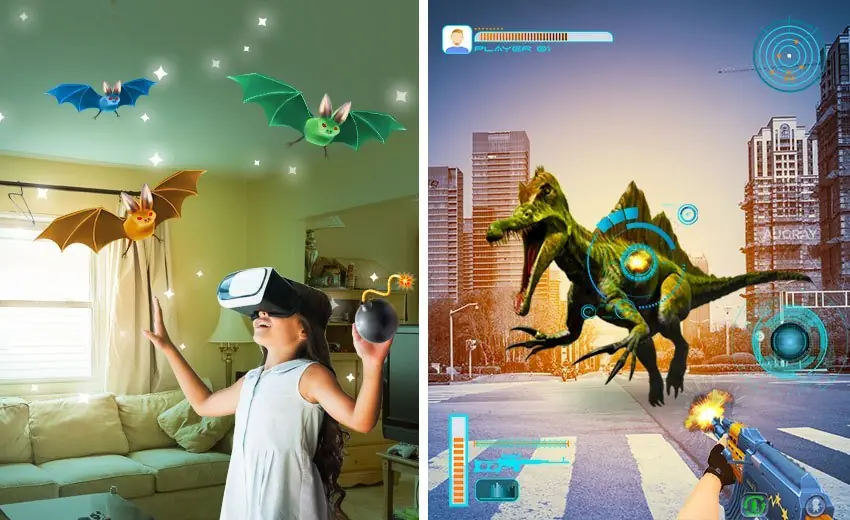
AR in games overlays interactive content on the physical world through a camera feed or transparent display, while VR replaces the world with a fully rendered scene. Mixed reality on Quest 3 and Vision Pro sits between the two: the headset passes through the real environment and blends 3D content into it with depth and occlusion. AR games assume the player is looking at a real room, park, or street, so gameplay must respect physical safety, lighting, and movement. VR games control the entire scene and can push scale, motion, and fantasy further.
The AR games audience today is dominated by mobile phones. iOS and Android install bases give AR games access to over 2 billion AR-capable devices, which is why Pokemon GO, Peridot, and Monster Hunter Now target phones first.
The SDK stack for AR in games
Building AR games usually starts with one of six SDKs. Native mobile studios pick ARKit for iOS and ARCore for Android. Cross-platform teams use Unity AR Foundation, which wraps both. Location-based games use Niantic Lightship ARDK for the VPS mesh network and shared world state. Social and short-session AR is built in Snap Lens Studio. WebAR that runs without an app install ships through 8th Wall or a raw WebXR stack.
- ARKit 6+: scene reconstruction, RoomPlan, motion capture, People Occlusion, LiDAR depth on Pro devices.
- ARCore: Geospatial API for street-level anchors, Depth API, Cloud Anchors, Streetscape Geometry.
- Niantic Lightship ARDK: Visual Positioning System, real-world meshes, shared multiplayer AR.
- 8th Wall: WebAR with no app install, SLAM in the browser, monetized under Niantic.
Devices that run AR games
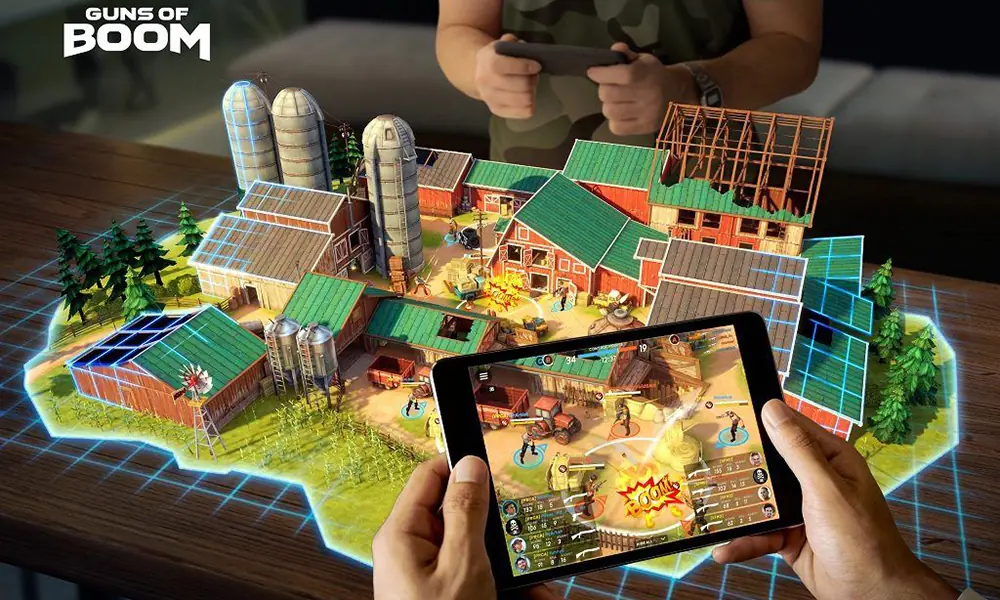
Phones and tablets are still the primary AR game device by volume. Apple Vision Pro added a premium visionOS market for spatial games built with RealityKit and Reality Composer Pro. Meta Quest 3 and Quest 3S added color passthrough for mixed reality gameplay at room scale. Snap Spectacles gen 5 ship AR games and lenses as standalone eyewear for developers.
Core mechanics used in AR games
AR game mechanics come from a small set of building blocks that map to SDK features. A production team picks two or three of these per game rather than shipping all six.
- Location-based play: GPS + VPS anchor gameplay to real coordinates (Pokemon GO, Ingress, Monster Hunter Now).
- Plane detection: place characters and props on floors, tables, and walls.
- Image tracking: trigger content from printed cards, posters, or product packaging.
- Occlusion: real objects and people hide virtual content, which lifts believability.
- Shared AR: multiple devices see the same virtual world through Cloud Anchors or Lightship VPS.
SDK comparison: ARKit vs ARCore vs Niantic Lightship vs 8th Wall
The right SDK for AR games depends on the platform, whether the game needs location anchoring, and whether it should run without an app install.
| SDK | Devices | Key features | Cost model |
| ARKit | iOS, iPadOS, visionOS | Scene reconstruction, People Occlusion, LiDAR depth | Free SDK; Apple Developer $99/year |
| ARCore | Android, ChromeOS | Geospatial API, Depth API, Cloud Anchors | Free SDK; Play Console $25 one-time |
| Niantic Lightship ARDK | iOS, Android (Unity) | VPS with real-world meshes, shared AR | Free tier; paid tiers for VPS scale usage |
| 8th Wall | WebAR (iOS, Android browsers) | SLAM, image and face tracking, no app install | Paid plans from ~$99/mo per project |
| Meta Presence Platform | Quest 3, Quest 3S | Passthrough MR, Scene API, Interaction SDK | Free SDK; Meta Store submission review |
Production challenges when shipping AR games
Lighting is the first challenge: real-world lighting is unpredictable, and virtual objects must match the scene through environment probes and estimated light direction. Permissions are the second, each camera, motion, or location prompt lowers install-to-play conversion. Battery and thermal budgets are the third, continuous camera feed and SLAM tracking push devices to sustained load, and sessions above 15-20 minutes drain battery visibly on mid-range phones. Safety is the fourth: location-based AR games in public spaces need clear guidance not to play while driving or in unsafe areas.
Monetization models that work in AR games
AR games monetize through the same mobile levers as other free-to-play titles, with two AR-specific additions: sponsored real-world locations that brands pay for, and branded AR content or lenses sold as short-session promotions. In-app purchases for cosmetics and energy, season passes with AR-only rewards, and premium purchase on the visionOS store round out the model mix.
Privacy and app store guidelines for AR games
Camera and location data trigger the strictest app store review categories. Apple and Google both require a clear privacy policy, a purpose string for every sensor, and an explicit reason for background location if the game uses it. AR games that collect scene meshes, faces, or hand data must disclose what is uploaded, what stays on-device, and how long it is retained. For visionOS, Apple further restricts what world data an app can read; scene reconstruction is available to the system but not to third-party apps by default.
An AR case from the Game-Ace portfolio
Welcome to Archy the Rabbit, an AR and mixed reality game by Game-Ace

Archy the Rabbit is a marker-based AR and HoloLens mixed-reality demo Game-Ace built for children, with a full character and environment art pipeline designed to introduce younger and older audiences to immersive gaming in an intuitive way. Game-Ace delivered the character and environment art for the release.
When to talk to Game-Ace about AR in games
If AR in games is part of your roadmap, Game-Ace's custom game development studio handles full-cycle delivery, co-development, and team extension from a single 120+ specialist team. AR-adjacent work runs from mobile prototypes through VR simulations, with production teams shipping Unity, Unreal, and WebGL projects since 2005, and dedicated augmented reality game development and mobile game development tracks alongside full-cycle delivery.
Related reading
Plan your AR game with Game-Ace
If you are scoping an AR game concept, a Vision Pro title, or a location-based project, talk to Game-Ace.
 Metaverse gaming: what it actually looks like in production today
  Mobile gaming trends shaping the industry now
  Immersive game design: how studios build presence


































