


Cross-platform mobile game development means building one game that ships to iOS, Android, and often WebGL from a single codebase. Studios use engines like Unity, Unreal, Godot, Cocos2d-x, or PhaserJS to compile the same source into native mobile binaries plus a browser build, so gameplay logic, art, and UI are written once and released across App Store, Google Play, and the mobile web.
If you are scoping a cross-platform mobile game for iOS, Android, and WebGL, talk to Game-Ace.
Choosing the engine for cross-platform mobile game development
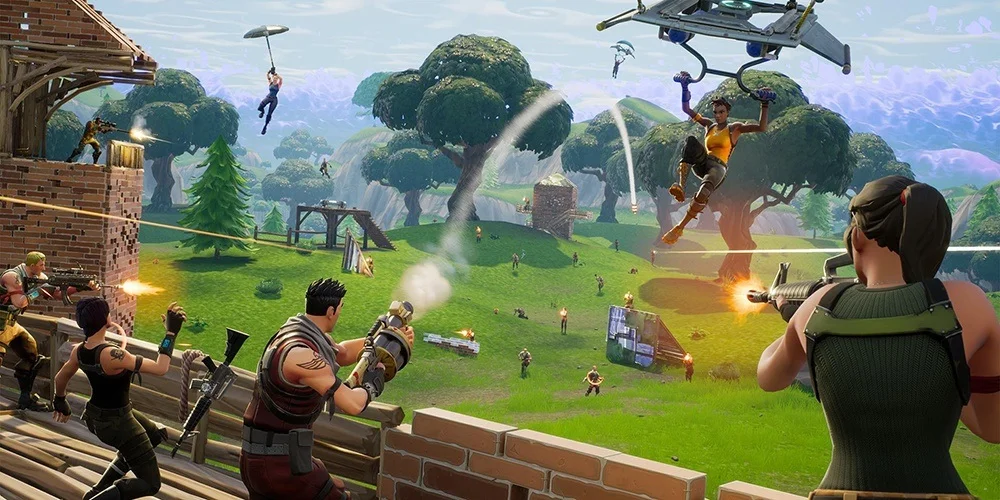
Engine choice sets the ceiling for what cross-platform mobile game development can deliver. Unity remains the default for most iOS + Android + WebGL projects because C# is portable, the mobile toolchain is mature, and the same project can export a WebGL build with minor tuning. Unreal Engine covers cases where the team needs advanced rendering on high-end phones, though its WebGL story is limited compared to Unity. Godot has become a realistic option for 2D and mid-scope 3D mobile projects. Cocos2d-x still fits 2D titles that need tight memory control on lower-end Android hardware. PhaserJS covers HTML5-first projects where the mobile browser build is the primary target.
Project setup for a single codebase
The setup phase decides how painful the next 12 months will be. A cross-platform mobile game development project starts with one shared source tree, platform-specific build configurations, and a folder structure that keeps iOS, Android, and WebGL assets separate where they need to differ. Practical setup covers version control with Git LFS for binary assets, per-platform build targets configured from day one, and a clear rule for what runs on all platforms versus what stays platform-specific (haptics, notifications, sign-in, purchases).
Rendering, input, and screen fragmentation
Screen fragmentation is the practical hard part of cross-platform mobile game development. A single build has to look right on a small Android phone, a modern iPhone with notch cutouts, a tablet in landscape, and a browser window at almost any aspect ratio. Typical solutions include an anchor-based UI system, mip-mapped texture sets sized for low, mid, and high DPI, and a render pipeline configured with a lower resolution target on older devices.
One codebase also means one input layer that reads touch on iOS and Android, keyboard and mouse in WebGL, and optional gamepad on all three. The cleanest approach is an input abstraction that maps raw events into named actions so gameplay code never touches the platform directly. Unity’s Input System package and Unreal’s Enhanced Input plugin both support this pattern.
IAP, store services, and build automation
Store integration is where cross-platform mobile game development stops being one codebase and starts being three. In-app purchases, achievements, leaderboards, and social sign-in all use different SDKs per platform: StoreKit 2 handles iOS, Google Play Billing Library v7 handles Android, and WebGL usually falls back to a web checkout. The practical pattern is a single purchase interface in the game code with three implementations behind it, wrapped by Unity IAP for many teams.
Manual builds break a pipeline once the team is past two people. Fastlane handles code signing, provisioning profiles, and store metadata on iOS and Android. Codemagic is a common managed CI option that already understands Unity and native mobile builds and can run on macOS runners for iOS signing. A typical pipeline builds all three targets on a merge into the release branch, with the iOS build landing in TestFlight and the Android build landing in an internal Play track.
QA on a real device matrix
Cross-platform mobile game development needs a device matrix, not a single test phone. A workable minimum is one low-end Android, one modern flagship Android, one older iPhone still on a supported iOS version, one modern iPhone, one iPad, and two or three desktop browsers plus a mobile browser for the WebGL build. Cloud device farms like Firebase Test Lab, AWS Device Farm, and BrowserStack cover the wider matrix without buying hardware.
Cost savings versus native builds
The commercial case for cross-platform mobile game development is that one team ships to iOS, Android, and often WebGL instead of two or three separate teams shipping to one platform each. Studios typically see 30-50 percent lower development cost compared with parallel native iOS and Android tracks. The saving is not automatic, it shows up when the team plans platform differences early, invests in build automation, and keeps a real device matrix in QA from the start.
Engine comparison for cross-platform mobile game development
| Engine | Best fit | WebGL | Tooling maturity |
| Unity | 2D and 3D mobile, WebGL playables | Mature | Very high |
| Unreal | High-end 3D, cross with PC | Limited | High |
| Cocos2d-x | 2D, low install size | Via Cocos Creator | Medium |
| Godot | 2D and mid-scope 3D, small runtime | Good | Medium |
A cross-platform mobile case from the Game-Ace portfolio
Welcome to Bagged Up, a cross-platform sports prediction game by Game-Ace

Bagged Up is a mobile-first sports prediction game built in Unity and released for both iOS and Android, combining daily match-based gameplay with RPG-style progression and a collectible card mechanic. Game-Ace handled everything from feature planning to backend architecture and app store deployment.
Talk to Game-Ace about a cross-platform mobile game
If you are scoping a cross-platform mobile game for iOS, Android, and WebGL, talk to Game-Ace.
When to talk to Game-Ace about cross-platform mobile game development
Reach out when the project needs iOS, Android, and a WebGL build from one codebase, and the team wants a partner that owns engine setup, build automation, store integration, and QA on a real device matrix. Game-Ace has been building games since 2005, with 120+ in-house specialists and 200+ delivered titles across mobile and web, and works through team extension, co-development, or full-cycle delivery. See also mobile game development, game porting services, and the broader cross-platform game development overview. For the wider studio, see Game-Ace’s custom game development studio.
 How MetaHuman changes game character development
  Game development for startups: budget and MVP guide
  Engineering tower defense games from prototype to live service
  Idle game development: a full production guide
  Gamification in recruitment: what actually works

































