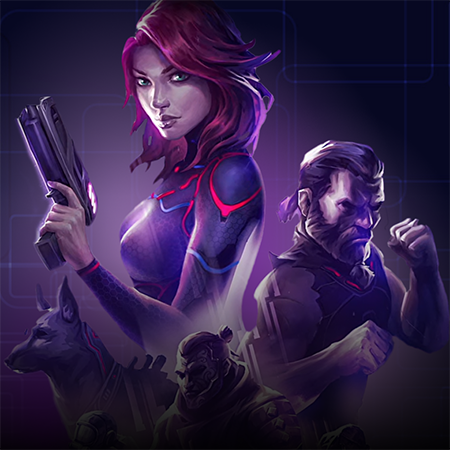
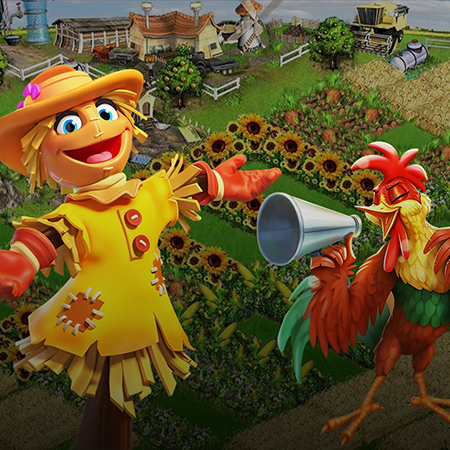
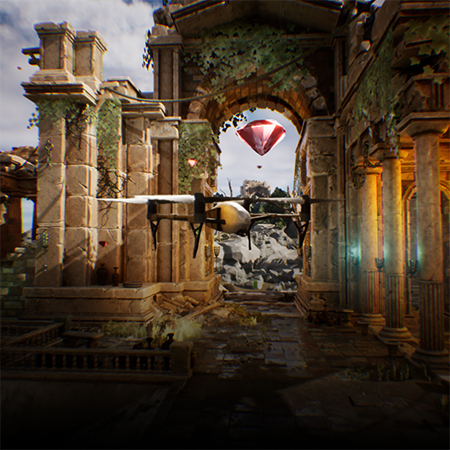
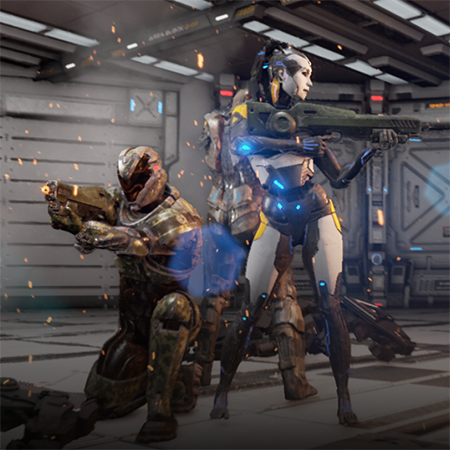
Mobile games are this wonderful thing allowing gamers to reach their favorite characters and adventures even when they are out of a PC or a console. Whether you are on a trip or got bored on a walk, you can solve mysteries in Life is Strange, become a superhero with Injustice 2, and even have an epic fight in Mortal Kombat!
But what is the secret to the exceptional gaming experience of each of these games? The answer won’t keep you waiting — the key component is using an outstanding platform, the great game builder called Unreal Engine (UE). Since it’s been used to create such gaming legends as Fortnite, Borderlands (series), and others, it’s natural to choose it for your mobile game creation. Many studios prefer to hire mobile game developers skilled in Unreal Engine to ensure their projects meet performance and design expectations.
However, there are so many other options aside from UE, so there have to be several reasons to use this engine exactly. So keep reading to learn about the particularities and advantages of UE4 for mobile games creation, as well as Unreal game development services, which can also come in handy.
Is Unreal Engine Good for Mobile Games?
According to multiple reviews on open sources like Quora and Reddit, specialists related to game development recognize Unreal Engine as a decent platform for creating mobile games with high specifications.
This basically means that UE would be a perfect solution for complex gaming projects targeted at impressive graphics, high-quality mechanics, and striking content. Therefore, in building a game for players ready to pay for a superior gaming experience, you definitely should use excellent software like Unreal Engine.
Main Advantages of Using Unreal Engine for Mobile Game Development
Usually, the list of advantages of a game engine you are going to use answers most of the questions you may have.
-
Cross-platform development. Using Unreal Engine, you can create a game suitable for iOS and Android platforms. Cross-platform mobile game development like that is usually challenging. Still, UE makes this process simpler with special visual scripting tools like Blueprint on creating visuals supported by different platforms at once.
-
Game porting capabilities. In addition to cross-platform development, the engine allows game porting. Simply put, if you create your mobile game with Unreal, you can then transfer and adjust it for a PC platform or a console. This will get you an opportunity to profit from the same game but through different platforms.
-
Professional documentation. Unreal Engine provides valuable information on how to use it for mobile game development. On this page, you can find many getting started with the engine, the particularities and workflow of game creation for different platforms, and so on.
-
Professional toolset. The essential quality of Unreal Engine is that it caters to all the needs of a mobile game developer, technical artist, game tester, and other specialists working on game creation.
-
2D/3D content creation tools. Whether you create a 2D game or develop a 3D one, you can craft characters, assets, and environments right in UE. It offers drawing and painting tools for flat graphics creation, as well as modeling, sculpting, texturing, and even animation capabilities, including rigging & skinning.
-
No monthly subscription payment. Most software for game building requires you to pay a severe amount of money for a monthly or annual subscription to work in it. In contrast, UE is free to use when you create a game. However, it will charge you 5% of your game’s revenue exceeding $1 million. Fair enough.
-
Top game developers choose UE. Unreal Engine is widely known by anyone related to the gaming industry, including gamers who adore products made with this engine. But the most important is that Epic Games created and maintained UE, as well as being trusted by many game development leaders such as Rockstar Games, Electronic Arts, Nintendo, and more.

Unity or Unreal for Mobile Games: What to Choose
The topic of Unity vs. Unreal for mobile games is as much discussed among game developers as the battle between Android-based smartphones and iOS-based ones. Thus, it’s better to rely on your specific needs, the final goal, and budget when choosing between these two popular game-building platforms.
Unity for mobile game creation
So, what’s good in Unity for mobile game development? First of all, Unity is a cross-platform game engine that is highly flexible in its capabilities, so it’s more convenient to create a game supported by iOS and Android at once.
The platform uses C# programming language, which is quite simple to learn and use, making the development process more manageable. However, the other side has limited capabilities for making high-quality graphics, and the mechanics will be not so special, as well as visual content. But another feature of content creation is the ability to use ready-made assets from the Unity asset store, which is impressively extensive.
Unreal Engine for mobile game creation
In contrast to Unity, UE uses C++ as the primary programming language, which provides extended capabilities for high-quality game development. Thus, you can create unique content providing gamers with good graphics and user-friendly mechanics for any project, including complex multi-player Unreal games.
In addition, you can use Unreal for multi-platform game development even though it requires skilled pros who can handle the process at the top level. Since this engine is primarily used for AAA game development, UE is used for mobile game creation with ambitions of porting a game to PCs and consoles later.
The bottom line is Unity would be better to use when you need your project to be done quickly but on a decent level, as well as for cross-platform development. On the other hand, Unreal Engine is more widely used for complex projects with a bigger budget and higher demands for product quality, targeting an audience of proficient gamers.
In any case, you can rely on a game creation studio for more effective development, so whatever project type you choose — it will be a success story.
Mobile Unreal Engine Games Development for Android/iOS
In order to make a profitable mobile game, it’s essential to know the particularities of different platforms. So let’s take a look at the main features of mobile game development with UE for Android and iOS.
How to create Unreal Engine Android games
The first thing important for Unreal Engine 4 Android game development we’ve already mentioned is that you’ll need a C++ developer on board, as it’s UE’s primary programming language. The knowledge of other languages like Python could open more doors for top-notch development, but mobile games don’t usually need this as your task is to create a highly functional and small-sized product.
Making Unreal Engine games for Android, it’s also necessary to adapt your game for different screen sizes and consider other details inherent to this platform. Luckily, UE provides its users with Android game development documentation where you can find the particularities of setting up Android SDK and NDK. It also contains valuable information with technical aspects, tools, and even the getting started workflow.
How to create Unreal Engine iOS games
Making Unreal Engine iPhone games, you may rely on principles similar to Android game creation. Even though the platform operates with the C++ programming language, there’s still an optional capability to make some specific game elements (for example, user interface ones) by involving iOS’ languages Objective-C and Swift.
Moreover, Unreal Engine offers iOS game development documentation containing lots of guides, tips, features, and even instructions on the development steps from start to end. Further, use an in-editor testing tool to assure a game performs flawlessly. Once you’ve built your iPhone or iPad game, you can export it to iOS directly via your device by following the packaging guide.
Make Your Unreal Game Development Effective
Choosing professional software is definitely an important part of creating a good game that will meet your business expectations. However, an even more important step is to find and hire game developers who will implement your idea and make the project a success.
So if you’re looking for a reliable team or individual mobile game developers, Game-Ace is here to give you everything you need. Operating for 13 years in the gaming market, we have gained in-depth expertise in working with a variety of platforms, and technologies, including AR/VR and NFT games.
Contact us for a detailed consultation and we will find the most advantageous solution for your company.
 Unlocking Cinematic Quality in Unreal Engine 5.6: Insider Tips from GameDev Industry Pros
  How to Make a Game App That Captures Users and Dominates the Market
  How to Develop an Endless Runner Game in Unreal Engine: A Step-by-Step Guide
  The Best Game Engines: Research from Game-Ace Specialists
  Unity vs Unreal: Two Main Game Engines Compared by Game-Ace