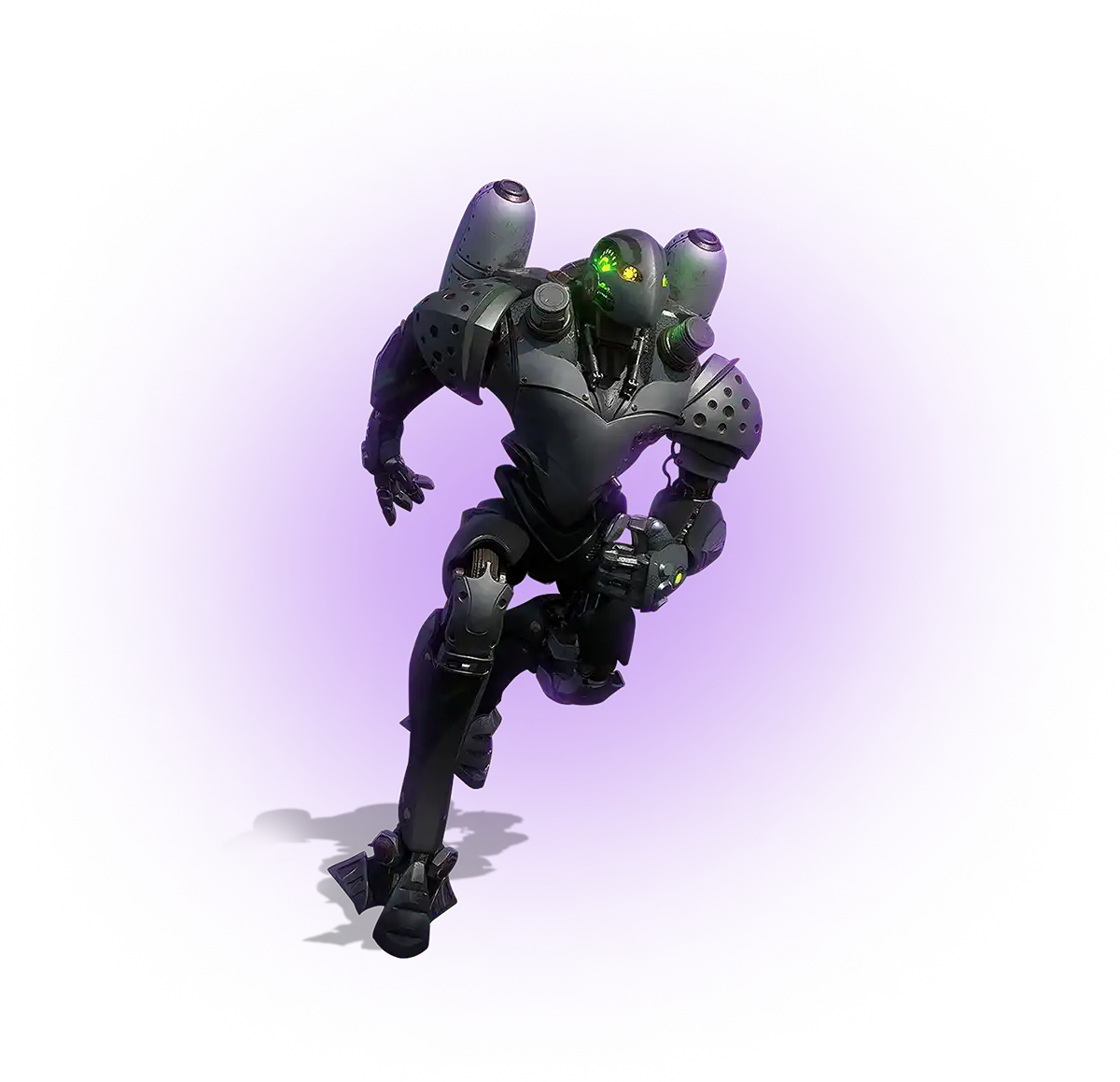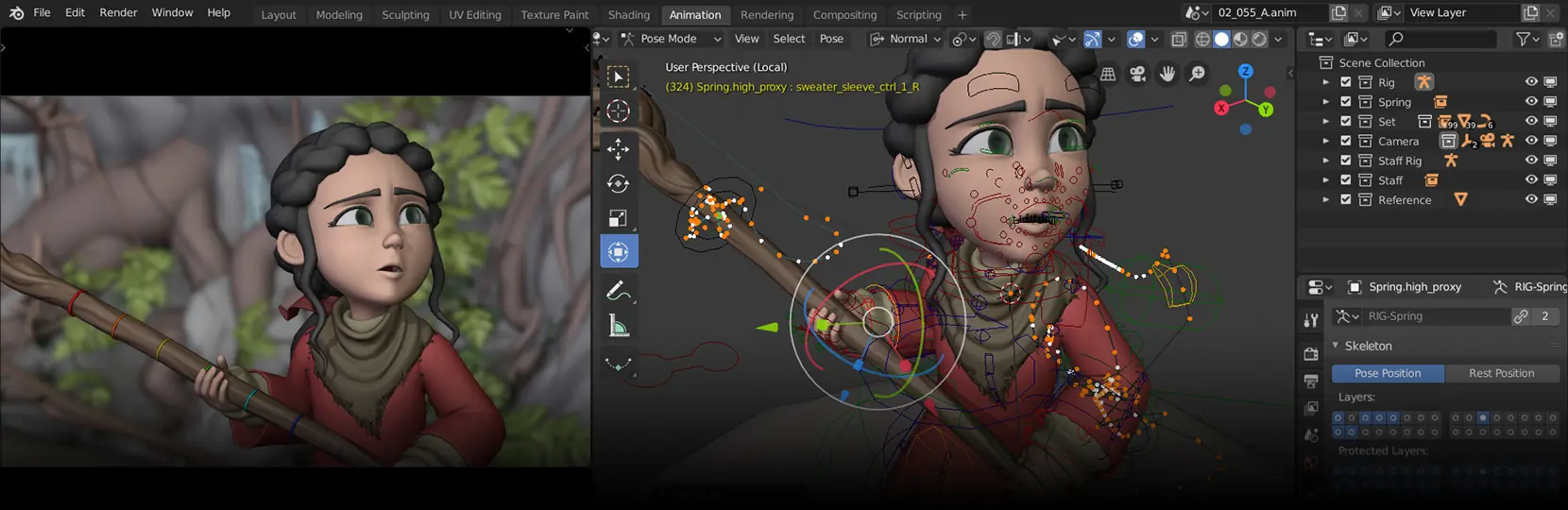

Character rigging is the process of building a digital skeleton, control system, and deformation logic that lets animators move a 2D or 3D character. A rig links mesh geometry to joints, controls, and constraints so motion is repeatable, editable, and engine-ready. For game production, the rig defines what animators can do and how cleanly motion plays back in the target engine.
Character rigging anatomy: skeleton, controls, and deformation

A production rig has three layers that work together. The skeleton is the joint hierarchy that drives skinning and motion. The control layer is what animators touch: NURBS curves, locators, and shapes that drive the joints through constraints. The deformation layer handles how the mesh follows the joints, including skin weights, blend shapes, and corrective drivers for elbows, knees, and shoulders. Each layer is built separately and tested in isolation before being connected. A clean separation makes the rig easier to debug, easier to retarget to other characters, and safer to update during production. Most studios standardise on a naming convention and a left-to-right mirroring system early, because changing names or hierarchies after animation has started breaks reference scenes and exported clips.
Typical components of a humanoid rig:
- Skeleton: root, pelvis, spine chain, neck, head, twin clavicles, shoulder-elbow-wrist-fingers per arm, hip-knee-ankle-toe per leg.
- Control curves: IK handles for arms and legs, FK controls for spine and head, a master COG control, foot-roll attributes.
- IK/FK switches: per-limb attribute or space switch for smooth blending between IK and FK animation styles.
- Blend shapes: facial expressions, corrective shapes for shoulder and hip deformation, breathing and muscle bulges.
- Drivers and constraints: parent, point, orient, and aim constraints; set-driven keys for automatic corrective behaviour.
2D vs 3D character rigging: when each fits a video game
2D rigging in tools like Spine, DragonBones, or Live2D builds a hierarchy of image parts connected by bones with mesh deformation. It is fast to author, light at runtime, and well suited to mobile titles, slot art, side-scrollers, and stylised UI characters. 3D rigging is slower to set up, but it scales to full-body motion capture, complex facial systems, and 360-degree gameplay. The choice depends on camera setup, animation reuse, performance budget, and content volume. Many projects use both: 3D rigging for hero characters and 2D rigging for UI mascots, cutscene overlays, or supporting cast where view angle is fixed. Engine support matters: Unity has first-party 2D animation packages with bone-based skinning; Unreal supports Spine and Live2D through community plugins. The decision is usually made during pre-production, not after assets are modelled.
Comparison: rig type by use case
| Rig type | Typical use case | Strength | Trade-off |
| Humanoid 3D | Player characters, NPCs, motion capture | Retargeting across characters | Higher setup cost |
| Generic 3D | Vehicles, props, robots, non-bipeds | Custom hierarchies allowed | No automatic retargeting |
| Facial (blendshape + joint) | Cinematics, dialogue, MetaHuman pipelines | High fidelity, ARKit compatible | Memory and storage cost |
| Creature / quadruped | Animals, monsters, multi-leg creatures | Custom IK and gait control | Manual setup, fewer presets |
DCC tools for character rigging for video games
Most game studios pick a DCC based on the engine pipeline, the rigger's experience, and the project's animation volume. Autodesk Maya is the long-standing default for character rigging because of its constraint system, deformer stack, and scripting in MEL and Python. Blender has matured into a credible production tool through Rigify, geometry nodes, and a strong Python API; it is now used on shipped indie and mid-tier titles. Autodesk 3ds Max remains common for environment and mechanical rigging, particularly through Biped and CAT. SideFX Houdini handles procedural rigging through KineFX and is used when the project needs many similar rigs generated from a template. The choice usually follows the rest of the pipeline, because animator tooling, export scripts, and skinning workflows are easier to maintain in one DCC.
Comparison of common DCC tools:
| DCC | Built-in rigging features | Scripting | Plugin ecosystem |
| Maya | HumanIK, constraints, deformers, Component Editor | MEL, Python, PyMEL | Advanced Skeleton, mGear, ngSkinTools |
| Blender | Rigify, armatures, geometry nodes, shape keys | Python | Auto-Rig Pro, BlenRig, Faceit |
| 3ds Max | Biped, CAT, Skin and Skin Wrap modifiers | MAXScript, Python | Bonespro, CAT extensions |
| Houdini | KineFX procedural rigging, premium shooter franchises | VEX, Python, HScript | Limited third-party, mostly in-house tools |
Face character rigging for video games: blend shapes, joints, ARKit
Facial rigging combines blend shapes and joints to deliver lip sync, expression range, and eye control. Blend shapes drive mouth shapes, brow positions, and subtle skin movement; joints handle jaw rotation, eye direction, and tongue articulation. The 52-blendshape ARKit set has become the working standard for interchange. It maps directly to iPhone TrueDepth capture, drives MetaHuman characters, and is supported by most motion-capture tools. For cinematic work, riggers often add corrective shapes on top of the ARKit base to fix asymmetries and to support stylised expressions. For mobile and runtime-heavy projects, the rig is usually trimmed to a smaller subset of expressions and combined with a joint-based jaw to keep memory and animation cost low. Face rigs are tested with phoneme sets and a reference acting clip before they are released to animators.
Practical limits to watch on face rigs:
- Blend shape memory footprint scales with vertex count and shape count; mobile projects usually cap shapes at 20 to 30.
- Joint-based jaws are cheaper at runtime than corrective blend shapes for the same motion.
- ARKit blendshape set is a working interchange standard, not a finished cinematic rig; corrective shapes are usually added.
- Eye control needs aim constraints with limits to avoid crossed-eye states during retargeting.
Creature rigs, quadrupeds, and LODs for animation
Creature rigging shares the same foundations as humanoid rigging but breaks several assumptions: more than two legs, non-standard joint ratios, tails, wings, and tentacle chains. Quadrupeds need a custom IK setup for front and back legs, ground contact behaviour for trotting and galloping, and a spine that can twist independently of the hips. Riggers usually build the skeleton from the spine outward, then add IK chains per limb, then layer secondary motion controls for tails, ears, and tongues. LODs for animation are often forgotten in early production. A character mesh has LOD0 to LOD3 for rendering; the rig usually keeps the full joint count for LOD0 and a reduced skeleton for distant LODs. Animation export then needs separate bind poses and skin weights per LOD level. Planning this in pre-production keeps memory and CPU cost predictable when the game ships with crowds or large battles.
Character rigging engine binding: Unity Humanoid and Unreal skeleton
Once the rig is built, it has to bind cleanly into the engine. In Unity, the FBX is imported as a Humanoid or Generic rig. Humanoid rigs map to a standard Avatar definition, which lets the project retarget motion across characters with the same proportions. Generic rigs preserve the exact joint hierarchy and are used for non-humanoid characters. Mecanim then drives animation through state machines and blend trees. In Unreal, the FBX produces a Skeleton asset, a Skeletal Mesh, and Animation Sequences. Control Rig lets animators adjust motion directly inside the engine, which is useful for in-context fixes without round-tripping to Maya or Blender. Animation Blueprints handle gameplay logic, blending, and IK on top of the Skeleton. Most studios standardise on one engine workflow per project so the rig, the export scripts, and the in-engine tooling all stay in sync.
Engine-binding components per engine:
- Unity: Humanoid or Generic rig type, Avatar definition, Mecanim state machines, blend trees, Animation Rigging package.
- Unreal: Skeleton asset, Skeletal Mesh, Animation Blueprint, Control Rig, IK Rig and IK Retargeter.
- Both engines: FBX with bind pose, animation clips with start and end frames, root motion baked or extracted as a curve.
Common character rigging mistakes and how to avoid them
Most rig problems show up only when animation starts. Misaligned joints cause limbs to twist on rotation; broken weight paint causes the mesh to collapse on extreme poses; missing IK/FK switches force animators to redo work. Naming convention is the most common silent problem: a rig built with inconsistent prefixes or mirrored suffixes is painful to retarget and almost impossible to share across characters. The fix is process-driven, not technical. Riggers run a test clip on every rig before delivery: a walk cycle, a few extreme poses, a facial pass, and a retarget test. Studios also keep a rig template that defines naming, joint orientations, and control shapes for every project. When a rig has to ship to animators, it is reviewed against the template and against the animation lead's checklist. The cost of a half hour review is much lower than re-rigging once production animation is live.
About Game-Ace
Game-Ace is a custom game development studio founded in 2005 with 120+ in-house specialists and 200+ delivered games. Character rigging sits inside the studio's game animation pipeline, alongside skinning, animation, and engine integration. Riggers work in Maya, Blender, and 3ds Max, deliver Unity Humanoid and Unreal Skeleton-compatible rigs, and follow project-specific naming conventions and joint-orientation standards. Selected work is shown in the Game-Ace portfolio; additional rigging samples are available under NDA. Engagement models include Team Extension, Co-development, and Full-cycle delivery. Studios with a scoped rigging need can contact our team to discuss skeleton standards, deliverables, engine targets, and timeline.
 How MetaHuman changes game character development
  Game development for startups: budget and MVP guide
  Engineering tower defense games from prototype to live service
  Idle game development: a full production guide
  Gamification in recruitment: what actually works