
Roblox VR games are Roblox experiences that run on Meta Quest 2, Quest 3, and PC-tethered headsets through Roblox Studio's built-in VR support. They work best when the same project is playable for desktop, mobile, and VR users in one session. Cross-play, hand tracking, and tight performance budgets define which Roblox VR games actually keep players.
If you are scoping a Roblox VR experience, a brand-led Roblox VR campaign, or a custom VR build outside Roblox, talk to Game-Ace.
Why Roblox VR games keep growing
Roblox VR games keep growing because the platform ships VR support out of the box and the Meta Quest 2 and Quest 3 made the entry hardware cheap enough for teenage and family audiences. A Roblox creator does not write a VR-specific engine layer, does not negotiate a separate store listing, and does not split community between desktop and headset users. The same place ID runs in flat and VR mode from the same Studio project.
That single-build model is what shifted Roblox VR from hobby category to a regular content type. A small team scoping Roblox game development can prototype a VR mechanic in a week, ship to the same audience that already plays the creator's other places, and read retention data from the same analytics dashboard. Bigger studios use this to test a VR brand experience before committing to a standalone Quest app.
The trade-off is performance. Roblox VR games run on the same engine as desktop Roblox, which means every effect, mesh, and script runs on a mobile-class headset chip.
Roblox VR games that consistently hold players
The Roblox VR games that hold audiences in 2026 are not technical showcases. They are short-session, cross-play titles where the VR player has a different role from the desktop player. VR Hands by Hashiru is the clearest example: VR users become large floating hands, while desktop players run obstacle courses below them. The asymmetric design is what keeps both groups in the same lobby.
EdgeWorks by GregTame is the physics benchmark Roblox VR developers reference. Parkour, climbing, and freerunning with motion controls built around custom physics constraints rather than the default character controller. Sked's VR Playground by welikeminecraft38 takes the sandbox route, with grabbable tools and emergent multiplayer interactions.
- VR Hands (Hashiru): An asymmetric cross-play sandbox where VR players become hands and desktop players run the ground.
- EdgeWorks (GregTame): A physics-driven parkour and climbing title with motion controls.
- Sked's VR Playground (welikeminecraft38): An open sandbox with grabbable tools and social interaction.
Each of these titles started small and grew through Roblox's discovery surface. None required a publisher, a marketing budget, or a separate store. That is the realistic baseline for a new Roblox VR project today, and it overlaps with how studios approach broader virtual reality game development outside the platform.
How Roblox VR games handle cross-play with desktop and mobile
Cross-play is the default in Roblox VR games, not an extra feature. The same place runs for desktop, mobile, console, and VR users in the same server, so the design question is not whether to support flat players, it is how to give the VR player a meaningfully different role without breaking the experience for everyone else.
Two patterns dominate. The first is asymmetric roles, like VR Hands, where the VR player has powers or a viewpoint the desktop player cannot replicate. The second is shared role with VR-only comfort, where both players do the same things but VR users get motion controls, scale, and presence. The second pattern is easier to build but adds less value for the VR player.
On the engineering side, the input layer is the constraint. A Roblox script reads VR controller input through UserInputService and VRService, and developers have to write fallbacks so the same action (grab, throw, push) works with mouse, touch, and gamepad. Teams that want to hire Roblox developers for a cross-play build usually scope this fallback layer first. The official Roblox VR documentation covers the input API and recommended camera setups.
What headsets and tracking Roblox VR games actually support
Roblox VR games support Meta Quest 2, Meta Quest 3, Quest Pro, and PC-tethered headsets running SteamVR (Valve Index, HTC Vive, Windows Mixed Reality where still alive). The Quest line covers the vast majority of player sessions because Roblox is distributed as a Quest store app and runs natively without a PC.
Tracking support is uneven. Standard 6DoF positional tracking and motion controllers work on every supported headset. Hand tracking, the no-controller mode where Quest cameras read finger positions, is supported by the headset but exposure inside Roblox Studio is limited. Most production Roblox VR games still target controller input first and treat hand tracking as a secondary mode. The Meta Quest developer site lists current tracking capabilities per headset model for studios planning device targets.
Quest 1 is no longer a realistic target. Meta deprecated software updates and Roblox dropped Quest 1 client support, so any project planned for 2026 should baseline on Quest 2 and validate on Quest 3.
Hand tracking in Roblox VR games: where it actually works
Hand tracking in Roblox VR games works for low-precision interactions and breaks for anything competitive. Grabbing a stationary object, pointing at a UI, waving at another player all work. Fast aiming, parkour grips, rapid menu navigation, anything requiring sub-100ms response, fails. The fingertip occlusion and motion-blur cases that cause Quest tracking to drop are still unresolved on the headset side.
For production Roblox VR projects, the practical answer in 2026 is: design controller-first, allow hand tracking as an accessibility mode, and never gate progression on tracking accuracy. EdgeWorks and VR Hands both use controllers as the canonical input. A brand experience or a calmer educational VR place can lean further into hand tracking because the failure cases are cheaper.
How Roblox VR games monetise beyond Robux microtransactions
Roblox VR games monetise through the same Robux economy as the rest of Roblox: game passes, developer products, cosmetic items, premium-only zones, and the engagement-based payout from Premium subscribers. There is no separate VR storefront and no second revenue channel inside the platform. What changes is which monetisation patterns actually convert in VR.
Cosmetic items convert well because the VR player sees their hands and avatar at scale, every session. Pay-to-skip mechanics convert poorly because VR sessions are short and the friction VR players actually feel is comfort, not progression. Brand-funded experiences are the second model: a brand pays Game-Ace or another studio to build a Roblox VR place, and the budget is the project, not the in-game economy. The same logic applies to educational Roblox builds; Roblox educational games are typically funded by the publisher or school district rather than by player spend.
Outside Roblox, the same VR scope can be shipped as a standalone Quest app and monetised through the Meta Horizon Store, with a different revenue split and a different audience.
Performance pitfalls that kill Roblox VR games early
Performance is where most Roblox VR projects fail before they reach a real audience. Quest 2 and Quest 3 are mobile chips, and Roblox VR runs the same client logic as the desktop build with VR rendering on top. The 72 Hz comfort baseline (90 Hz on Quest 3) is brutal for any project that was designed without a per-frame budget.
- Draw calls: Every part is a draw call by default; merge meshes, use MeshParts and StreamingEnabled.
- Translucency and lighting: ShadowMap and Future lighting blow the frame budget; Voxel lighting is the safe choice.
- Scripts: Every RunService.Heartbeat handler costs frame time; profile with MicroProfiler.
- Audio sources: Too many 3D-positional sounds choke the audio thread.
- Avatar scale: Full-detail R15 avatars are expensive; cap visible avatars per server for VR sessions.
The fix is not optimisation after the fact. It is a VR-aware scope from day one: a smaller play space, fewer simultaneous players, lower-poly assets, and a willingness to cut features that look good on desktop and feel terrible at 72 Hz. The broader VR production checklist is similar to a standalone Quest app, and the playbook in how to make a VR game covers the wider scope.
Roblox VR vs standalone VR vs WebXR: when to choose each
Roblox VR is one of three realistic delivery paths for a VR experience in 2026. Standalone VR (a native Quest or SteamVR app) and WebXR (a browser-based VR experience) cover the other two. The choice depends on audience, budget, and whether the project needs to live inside an existing community.
| Path | Best for | Audience reach | Build cost range | Monetisation |
| Roblox VR | Cross-play social VR, brand experiences, educational places | Existing 70M+ daily Roblox audience | €20,000–€80,000 | Robux economy, game passes, brand-funded build |
| Standalone VR (Quest app) | Dedicated VR titles, longer sessions, premium content | Meta Horizon Store, SteamVR audience | €80,000–€400,000+ | Paid app, in-app purchases, App Lab beta |
| WebXR | Lightweight branded demos, product showcases, no-install access | Anyone with a browser-capable headset | €15,000–€60,000 | Lead capture, brand campaign, no store fees |
A studio scoping a campaign for a teen audience usually picks Roblox VR. A team building a dedicated game with longer sessions and higher production values usually picks standalone Quest. WebXR fits one-off brand activations.
Game-Ace VR cases: production reference
Roblox-specific VR cases at Game-Ace are under NDA, so the two VR titles below illustrate the broader VR production scope the team applies when building custom Roblox VR experiences and standalone VR builds.
Welcome to Star Archer VR, a custom VR archery title by Game-Ace
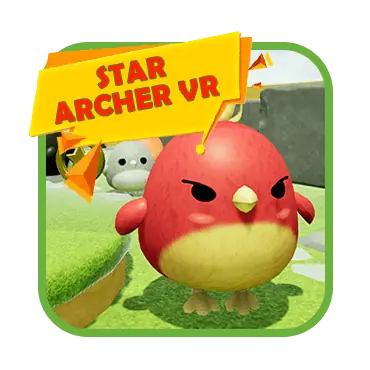
Star Archer VR is a first-person VR archery game built in Unreal Engine for Meta Quest 2 and Quest 3. Game-Ace handled the full production cycle: comfort-tuned teleport movement, VR-specific optimisation for the mobile chipset, and a sophisticated damage system that supports headshot, body-shot, and limb-shot variation.
Welcome to VR Terragame, a location-based VR amusement build by Game-Ace
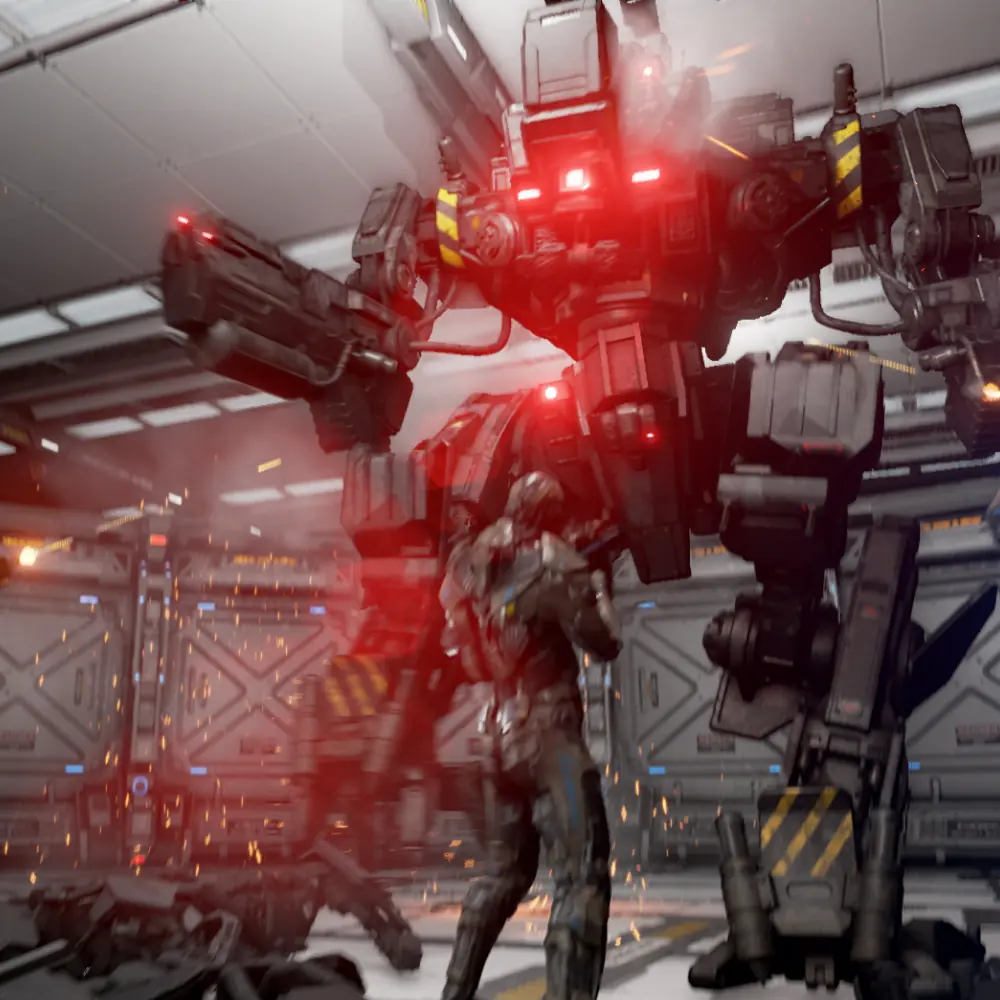
VR Terragame is a 500 sq m arena VR experience where physical objects are mapped into virtual space for haptic feedback. Game-Ace contributed to the motion-tracking integration, multiplayer puzzle design, and the dynamic narrative system that adapts to player decisions.
Scoping a Roblox VR project
If you are scoping a Roblox VR experience, a brand-led Roblox VR campaign, or a custom VR build outside Roblox, talk to Game-Ace.
Planning a Roblox VR project with Game-Ace
Game-Ace has been building games since 2005, with 120+ in-house specialists and 200+ delivered titles across mobile, web, VR, and Roblox. The studio runs Roblox VR work through three engagement models: full-cycle production from concept to launch, co-development with a client's existing Roblox team, and team extension when the client needs Roblox developers and VR specialists embedded into their pipeline.
For brand-led Roblox VR campaigns, the typical scope covers concept, Studio build, VR comfort tuning, asymmetric desktop and VR design, performance pass for Quest 2 and Quest 3, and post-launch live ops. For custom Roblox VR games outside brand work, the scope adds monetisation design and longer-term content updates. The team also handles standalone VR builds on Unreal Engine and Unity when a project outgrows the Roblox client. If Roblox VR is part of your roadmap, Game-Ace, a custom game development studio, can scope and deliver the full build under NDA, with IP transfer on completion. Engagement starts with a short technical review of the target headsets, scope, and audience.
 Roblox monetization: strategies that actually earn
  Roblox trends in gaming: what is working now
  Hire Roblox developers: where to find and how to scope
  12 Roblox game ideas that actually work
  Roblox gamified education: a play-to-learn design guide


































