


HTML5 game development means building games that run inside a modern browser using Canvas 2D, WebGL, WebAudio, and progressive web app features. It covers casual browser games, mobile web titles, Instant Games on Facebook and Telegram, and playable ads. The stack is JavaScript or TypeScript, one codebase, no store install.
If you are scoping an HTML5 game for browsers, a mobile web experience, or a cross-platform Instant Game with your in-house team, talk to Game-Ace.
What HTML5 game development covers in practice
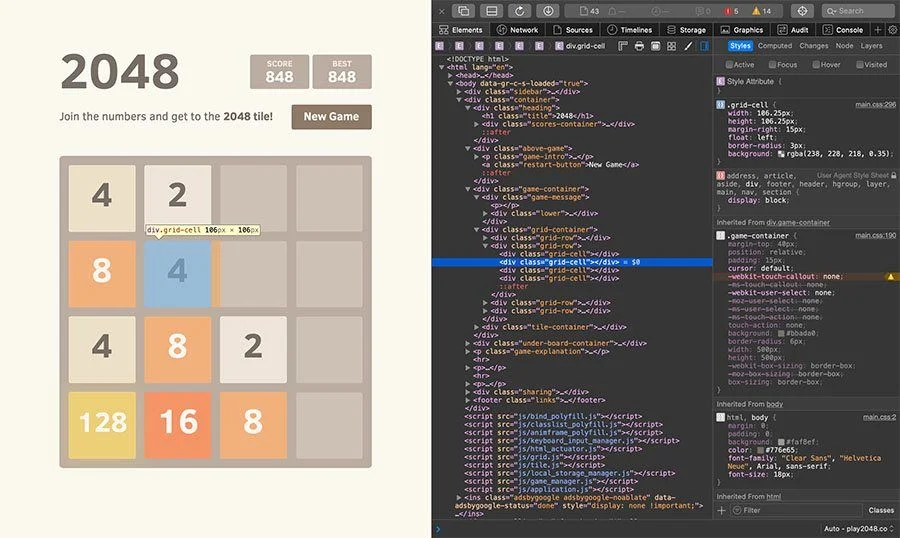
The label “HTML5 game development” is broader than it sounds. It is not one API. It is a stack: HTML5 markup for structure, Canvas 2D for pixel-level rendering, WebGL2 for GPU-accelerated 2D and 3D, WebAudio for mixing and effects, gamepad and pointer events for input, IndexedDB for save data, and Service Workers for offline PWA behaviour. WebGPU is arriving but still gated behind browser flags for most production teams.
Most teams pick a framework rather than write raw Canvas or WebGL. Phaser and PixiJS dominate 2D. Three.js and Babylon.js dominate 3D. Construct 3 and Cocos Creator suit smaller teams that want an editor. Unity WebGL sits at the heavy end.
See the MDN Games documentation for the underlying browser APIs: MDN Web Games.
Scoping a browser slot, a casual web game, or an Instant Game?
HTML5 game development vs native and vs WebGL-only
Compared with native mobile, HTML5 game development trades raw performance for reach. One build runs across iOS Safari, Android Chrome, desktop browsers, WebView shells, Instant Games, and playable-ad networks. No store review. Users open a URL and play in seconds.
Compared with pure WebGL work, HTML5 game development is the wider umbrella. WebGL handles the GPU render path. HTML5 also brings the DOM, WebAudio, PWA install, offline caching, and the whole browser context. A slot game that streams symbols via WebGL, plays audio via WebAudio, and installs as a PWA on Android is an HTML5 project, not a WebGL-only one.
Frameworks used for HTML5 game development
Framework choice is the single biggest scope decision. A 2D casual game in Phaser is a different project from a Babylon.js 3D world, even if both ship as HTML5.
| Framework | 2D / 3D | Learning curve | Output size | Mobile web fit |
|---|---|---|---|---|
| Phaser 3 | 2D | Low | Small (~1 MB core) | Excellent |
| PixiJS | 2D renderer | Low-medium | Small (~500 KB) | Excellent |
| Three.js | 3D | Medium | Medium (~600 KB) | Good, GPU-dependent |
| Babylon.js | 3D | Medium-high | Larger (~1.5 MB) | Good, mid to high-end |
| Construct 3 | 2D | Very low, no-code | Small | Excellent |
| Cocos Creator | 2D and 3D | Medium | Medium | Very good |
| Unity WebGL | 2D and 3D | High | Large (10-30 MB) | Limited on low-end |
For 2D web slots and casual games, Phaser or PixiJS is usually the default. For lightweight 3D web experiences, Three.js. For editor-driven small teams, Construct 3 or Cocos Creator. Unity WebGL is a fit when the client already has a Unity asset pipeline and accepts the download cost.
Rendering: Canvas 2D, WebGL2, and where WebGPU fits
Canvas 2D is CPU-driven and still fine for card games, board games, puzzle titles, and UI-heavy slots. WebGL2 handles the rest: particles, spine animations at scale, 3D scenes, shaders. The Khronos Group maintains WebGL: WebGL at Khronos.
WebGPU is production-ready in Chrome desktop and slowly landing on mobile. For most teams shipping in the next year, WebGL2 remains the safe default. WebGPU is worth prototyping if the project pushes compute shaders or heavy 3D.
Audio, offline, and PWA behaviour
WebAudio handles mixing, spatial effects, and adaptive music. It is not the same as an HTML5 audio tag: it exposes a proper node graph.
For mobile web games, offline behaviour matters. A Service Worker caches assets, IndexedDB stores save data, and a manifest lets the game install to the home screen as a PWA. This is close to native feel without the store submission cost.
The audio unlock rule on iOS Safari still catches teams: audio only starts after a user gesture. Any HTML5 game development project on mobile web needs an explicit tap-to-start.
How Game-Ace approaches an HTML5 game development project
Scope first. We define the target: is it a mobile web casual game, a browser slot for iGaming operators, an Instant Game for Facebook or Telegram, or a playable ad? Each has different rendering, size, and integration constraints.
Framework second. Phaser or PixiJS for 2D. Three.js for lightweight 3D. Cocos2D or Cocos Creator for cross-platform casino work. Unity WebGL only when justified by an existing pipeline.
Third, integration and delivery. Wallets and analytics for iGaming, ad network SDKs for playable ads, Instant Game APIs for social platforms, PWA manifest and Service Worker for mobile web. QA covers a device matrix, network throttling, and offline behaviour.
We often work as team extension on the client’s existing web build, or as full-cycle for greenfield HTML5 projects. See HTML5 game developer roles at Game-Ace and the broader browser game development service.
A selected HTML5 game development case by Game-Ace
Welcome to Rome Slots, a Cocos2d-JS HTML5 slot by Game-Ace

Rome Slots is a browser slot with a Roman-empire theme, developed in Cocos2d-JS to guarantee a smooth, web-based application running across the widest range of devices. Game-Ace’s art team ran the full cycle, from research and concept art to slot design and animations, on a proprietary PHP-based game server.
Performance on low-end Android and older iOS
This is where HTML5 projects usually stumble. A 3-year-old Android phone with a low-tier GPU will not run the same asset budget as a flagship. Practical rules: keep total download under 20 MB where possible, favour texture atlases, use spine or DragonBones over frame-by-frame, throttle particles by device tier, and profile with Chrome DevTools on a real device rather than emulation.
For iGaming HTML5 titles, we build a device tier system: high, mid, low. Effects, particle counts, and shader complexity switch per tier at runtime.
Monetisation paths beyond in-game ads
In-game ads and rewarded video are one path. HTML5 games also monetise through operator revenue share (iGaming), playable-ad licensing to ad networks, subscription bundles, sponsorship on portals like Poki and CrazyGames, and B2B licensing to publishers who embed the game on their sites.
When to talk to Game-Ace about HTML5 game development
HTML5 game development fits when reach matters more than raw graphics, when the audience is on mixed devices, or when the game needs to live inside a browser tab, a social platform, or an ad slot. It is a mature stack, not a workaround.
Game-Ace covers the full HTML5 pipeline: framework selection, rendering (Canvas 2D, WebGL2), WebAudio, PWA delivery, iGaming integration, Instant Games SDK work, and QA across low-end and mid-tier mobile web. Related deep-dives on this blog: WebGL games and the future of online experiences, Roblox as a true browser game platform, and Unity 2D vs 3D games. For engine alternatives on the web, see our Unity game development and WebGL game development service pages.
If HTML5 is on your roadmap, Game-Ace, a custom game development studio, handles full-cycle delivery, co-development, and team extension from a single 120+ in-house team.
 How MetaHuman changes game character development
  Game development for startups: budget and MVP guide
  Engineering tower defense games from prototype to live service
  Idle game development: a full production guide
  Gamification in recruitment: what actually works


































